
New machines come with multicore processors. Mine has eight, ought to be plenty fast. Unless the apps only use one of them, of course. Since the number of cores go up pretty quickly with each generation, while the speed of each core remains more or less the same, and the workload of the apps goes up, the net effect of a singlethreaded app is that its performance goes down with each new generation of hardware. So, please, fellow developers, get a grip and go multithreaded now.
For the last half hour I’ve been watching grass grow, or rather the Mac OSX Stuffit Expander unpack excercise files from Lynda.com. These excercise files are for Final Cut Express HD and consists of 12 sitx files, each around 240 Mb. …ah, it just finished. Looking at how the CPUs are loaded during the execution of the Expander, it’s no mystery why it’s so slow:
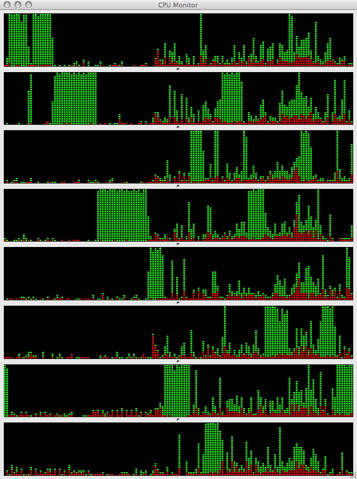
As you can see, there’s a 100% CPU hogger walking from core to core. It’s even clearer just as the walking ends and the process is done:
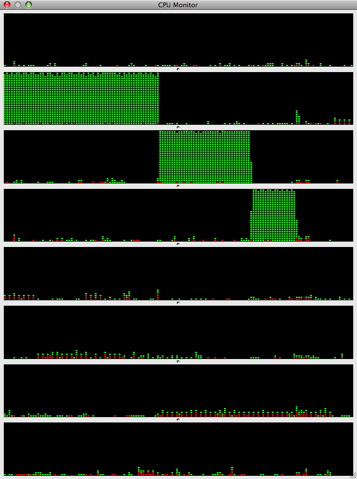
Interestingly, during this half hour, Safari hung (which in itself isn’t too unusual) and Parallels that was running two XP instances in the background that were doing nothing and I did nothing with, crashed. Normally, this machine is stability itself, except for occasional Safari hangups and I’ve never before seen Parallels crash like this, so I think there’s a connection.
Now, if you look at how a righteous app like iMovie ’08 works, you’ll see something like this (while creating movies):
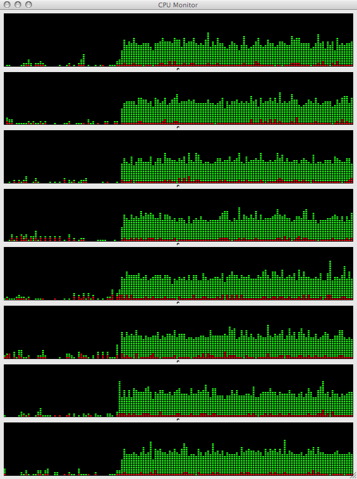
I could run WoW with totally normal performance even while iMovie was going full blast. No crashes or hangs either. I wouldn’t be surprised if the system is most stable when all cores have some headroom left, while 100% load of any core is destabilizing. I’m just guessing here.